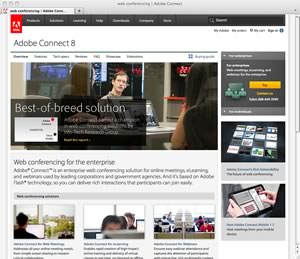
Adobe Connect Review Summary – Adobe Connect is a flash-based online meeting application, that allows you to customize your online meetings based on context.
Pros – Adobe Connect offers a high degree of customization. You can change the layout of the application based on your meeting needs. There’s pre-configured templates for different types of meetings – e.g. training, collaboration activities, etc.
Cons – Adobe Connect offers a lot of functionality at the cost of simplicity. The application is one of the more complicated services we’ve tested. If you’re looking for one-click meetings, and a great user experience, we recommend GoToMeeting.
Adobe Connect Ratings
| Category | Score | Why |
| Overall Rating: |  |
Adobe Connect is a strong contender in the web conferencing category. The service has most of the features you need, but it misses the mark in some important categories. |
| Usability: |  |
The user interface can be convoluted at times. Setting up a meeting and playing back recordings is more complicated than it needs to be. |
| Audio quality: |  |
The audio quality is respectable, especially when dialing in with a regular phone line. The computer audio wasn’t as crisp as GoToMeeting in our testing. |
| Video quality: | |
The video quality is good when there’s 1-2 active video feeds. The quality seems to degrade when there’s more video sharing. When sharing the desktop, some elements on the screen looked a little fuzzy. |
| Collaboration features: | |
We found Adobe’s collaboration features easy to use and helpful. |
| Presentation features: | |
Adobe Connect is popular in the education category due in part to it’s powerful presentation features. |
| Mobile features: | |
Adobe’s mobile apps work well for attendees, but their quite limited when compared to their desktop counterparts. |
What We Like About Adobe Connect
All features are available on all (desktop) platforms – Because Adobe Connect uses Flash, Adobe Air, and a proprietary plug-in, the experience is consistent across desktop devices. As expected, some of the features are stripped down on mobile devices.
The mobile client works well – We were impressed with the mobile client. We tested all the features on our iPad, iPhone, and Android phone. The user interface was simple and intuitive… Adobe’s desktop designers should take a play from the mobile application’s playbook.
What We Don’t Like About Adobe Connect
Meeting setup is too complex – As we mentioned in our review summary, Adobe Connect offers a lot of features, but the user interface is too complex. For example, to setup a simple meeting you need to fill out a 3-page multi-field form. By contrast, vendors like GoToMeeting offer 1-click meetings.
Phone audio is not included – Most of the online meeting vendors we’ve tested offer an option to participate in meetings using a telephone. This is useful for remote workers, who may be traveling and not have immediate access to an internet connection. Adobe Connect requires you to use your own teleconference provider.
Meeting recording is not intuitive – Adobe Connect allows you to record meetings, but retrieving the recordings is not straightforward. Furthermore, the recording is not immediately viewable offline. In order to make it available offline, you have to play it back, record it to your local desktop as a file, then send it to your colleagues. GoToMeeting allows you to immediately record the meeting to your local hard drive, so you can send it to meeting participants when you’re ready.
The Private Chat feature doesn’t work on mobile devices – We tested the chat features on Windows, Mac OS X, Android, and iOS (iPad/iPhone). The group chat seemed to function normally, but the private chat did not work at all.
Adobe Connect Features
| Pricing: | $55/mo (personal edition) or $540/year (prepaid). You can also do per/minute meetings. Enterprise customers must call Adobe for specialized pricing. |
| Free Trial: | Yes – 30 days |
| Meeting Capacity: | Up to 25 attendees |
| Desktop Sharing: | Yes |
| Desktop Recording: | Yes |
| VOIP: | Yes. Does not include separate telephone audio. |
| Control Granting: | Yes. Requires the Adobe Connect Add-in. |
| Video Conferencing: | Yes |
| Private Chat: | Yes. Private and group chat available. |
| Annotation Tools: | Yes. Text, rectangle, and pencil tools. |
Additional Resources
Before committing to an online meeting service, make sure you read the reviews for our top picks. You can also compare our top picks side by side. It’s worth noting, that most of the vendors we review on this site offer free trials.
 Editor’s Top Picks
Compare Top Picks
Adobe Connect Review Details
Reviewed by:  Jeremy Palmer
Reviewed on: November 2011