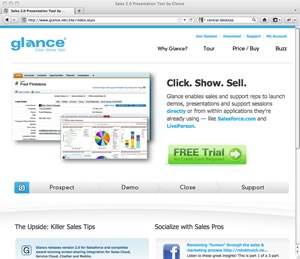
 Glance.net Review Summary – Glance.net is a barebones online meeting service, that lacks critical features. Glance.net is more of an online broadcasting application than a collaboration service.
Pros – Simple to install. You can setup a meeting with just a few clicks.
Cons – No recording functionality. Limited desktop sharing capabilities. Expensive for what you get. No annotation tools. No mobile site/application.
Glance.net Ratings
| Category | Score | Why |
| Overall Rating: |  |
Glance.net isn’t much of a web conferencing application. It’s limited featureset doesn’t stack up against premier services like GoToMeeting. Even free and basic desktop sharing applications like Join.me do a better job in most categories. |
| Usability: |  |
The interface is amazingly simple, but the app doesn’t have many features, making the learning curve short. |
| Audio quality: | |
The audio conferencing didn’t stand out, but didn’t under perform either. |
| Video quality: | |
There’s no video feed. The desktop sharing video looked ok in our tests. |
| Collaboration features: |  |
Glance.net can’t really be classified as a web conferencing application because it has few collaboration tools. |
| Presentation features: | |
Glance.net is a decent solution for broadcasts, but it’s presentation features as good as free solutions like Join.me. |
| Mobile features: | |
Glance.net doesn’t offer any native mobile applications. |
What We Like About Glance
Simple to install – Download the program, run the installer, and you’re ready to meet. The program works on Windows and Mac machines.
Simple to run a meeting – You can start a meeting with just a few clicks. Glance.net gives you a dedicated URL (e.g. YourCompany.glance.net). To start a meeting, send your meeting URL to attendees with your pin code. *Note – You will need to provide your own audio service.
100 attendees can view your screen. Glance.net is better for broadcasting than meeting and collaboration.
What We Don’t Like About Glance
No recording – You can’t record your meetings without third party software.
No video – You can share your desktop, but you can’t see the presenter or attendees.
No built-in telephony – There’s no integrated VOIP or telephony service. You must bring your own audio solution.
No annotation tools – Top online meeting programs like GoToMeeting allow you to highlight, write, and illustrate things on your screen. This feature is lacking in Glance.
No mobile apps/website – You can’t join a meeting from an iOS or Android device.
Glance Features
| Pricing | $49.95/mo or $500/year |
| Free Trial | Yes (7 days) |
| Meeting Capacity | Up to 100 attendees |
| Desktop Sharing | Yes |
| Desktop Recording | No |
| VOIP Integration | No |
| Control Granting | Yes |
| Video Conferencing | No |
| Private Chat | No |
| Annotation Tools | No |
Additional Resources
Before committing to an online meeting service, make sure you read the reviews for our top picks. You can also compare our top picks side by side. It’s worth noting, that most of the vendors we review on this site offer free trials.
 Editor’s Top Picks
Compare Top Picks
Glance.net Review Details
Reviewed by:  Jeremy Palmer
Reviewed on: November 2011